Why the receipt in a drawer disappears
The scenario is almost always the same. A washing machine or laptop breaks after a dozen or so months, still within the protection period. The search for the receipt begins — and it turns out it either vanished into a pile of other documents, or it is in the drawer but the print is already illegible. A claim that should take a few minutes turns into proving you bought the device at all.
The problem is not that people throw receipts away. It is two things at once: thermal paper physically ages, and the proof of purchase is not linked to a specific thing. Even a kept receipt is useless if a year later no one knows which of a dozen devices it refers to.
Thermal paper — why it fades
Most receipts are printed on thermal paper. There is no ink on it — the image is created by heating a chemical layer covering the paper. That is why the printout is fast and quiet, but also why it is not durable.
The same layer the print head heats later reacts to other factors:
- Heat — a receipt left in a hot car can fade in a few days.
- Light — long exposure to sunlight speeds up yellowing.
- Contact with plastic and grease — foils, document sleeves and some wallets react with the thermal layer.
In practice this means the receipt for a washing machine worth several thousand can become illegible long before the warranty ends. And a faded receipt cannot be recovered — the content is gone for good.
Key takeaway: a thermal receipt is not something you "store" — its content must be digitised before it disappears. A photo taken on the day of purchase captures the data while it is most legible.
When to take the photo: on the day of purchase
The best moment to photograph a receipt is right after buying — before it goes into a drawer and before it has a chance to fade. It is the only moment you can be sure the print is fully legible.
A few practical tips for the photo itself:
- Flat background and good light — the receipt on a countertop, by a window or lamp, with no shadow of a hand.
- The whole receipt in frame — including the date, shop name and the line for the device.
- Focus on amounts and date — these are the details that decide a claim.
- A separate photo of a long receipt in two parts, if it does not fit legibly in one shot.
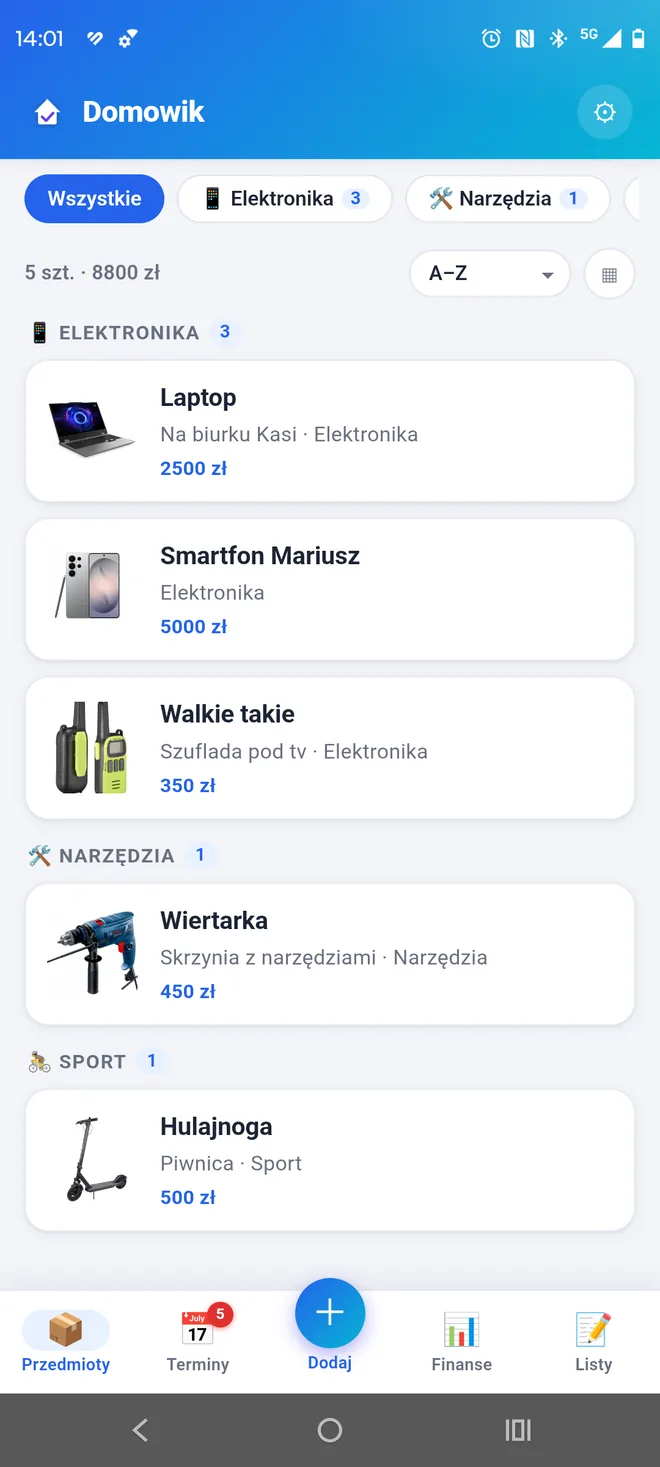
In Domowik you attach the receipt photo directly to the item, so you always know what it refers to. See it on Google Play →
What to save besides the photo
The receipt photo alone is a lot, but not everything. For more expensive equipment, a few extra details make a claim or an insurance report go smoothly.
- Purchase date — all warranty and seller-liability deadlines are counted from it.
- Place of purchase — the shop the claim is directed to.
- Serial number — from the rating plate; for a manufacturer's warranty it can matter more than the receipt itself.
- Brand and model — needed for replacement valuation and ordering parts.
- Photo of the warranty card — if the device has one, next to the receipt.
The serial number and brand are also what an insurer expects after a loss — we wrote about it in the guide on documenting a claim for your insurer.

Where to keep it: the two-places rule
No single storage method is proof against everything. Paper gets lost when moving house, a phone can be lost, a cloud account can be blocked. That is why it is safest to keep proof of purchase in two independent places.
Digital version (main)
A photo of the receipt and warranty card linked to a specific device. This is the version you use day to day — always to hand, always clear what it refers to. The key is for the data to be attached to the item, not scattered loosely in the phone's gallery.
Original (backup)
One fixed binder or box for the original warranty cards and invoices of pricier equipment. It does not have to be complete — it is enough that you know where it is and only the genuinely valuable items go there.
Easy to forget: if the digital version is only on your phone and nowhere else, that is not two places but one. Before changing your phone it is worth making a backup — we described it in the guide on backing up before changing your phone.
Receipt, warranty card and serial number
In a claim these three documents play different roles, and it is worth understanding which serves what.
| Document | What it is for | When it matters most |
|---|---|---|
| Receipt or invoice | proof of purchase and date | rights against the seller |
| Warranty card | manufacturer's warranty terms | repair at an authorised service |
| Serial number | identifies the specific unit | when there is no receipt, manufacturer's warranty |
In practice a legible receipt is usually enough. But for pricier equipment it is worth having all three, because if one document fails, the others let you finish the case. We set out the details of warranty and statutory rights in the guide on keeping track of warranties and deadlines.
What to do when the proof is gone
Even if the receipt has faded or been lost, the situation is rarely hopeless. It is worth checking in turn:
- Card payment history — the date and amount confirm a purchase at a given shop.
- Email from the online shop — order confirmation or invoice.
- Shop account or retailer app — many chains keep purchase history.
- Serial number — for a manufacturer's warranty it is often enough to identify the unit.
These are emergency measures, though, that take time and do not always work. It is far simpler to secure the proof up front — a single photo on the day of purchase solves the problem before it appears.
Keep proof of purchase with every item
In Domowik you add a photo of the receipt and warranty card straight to the item, together with the date and serial number. When something breaks, it is all in one place.
Get Domowik on Google Play Scan with your phone
A system that works in the background
The best system is one you don't have to remember. Instead of a separate "sort the receipts" session that never happens anyway, it is worth weaving one habit into the moment of purchase:
- You buy something valuable — equipment, furniture, electronics.
- You photograph the receipt right away, before it goes into a pocket.
- You add it to the thing — with the date and place of purchase.
- The original of pricier equipment goes into a fixed binder.
The whole operation takes a minute and happens once, at the moment you hold the receipt. A year later, when the device breaks, there is no searching — the proof waits ready. It is the same logic used for home inventory: a small effort at the right moment saves a lot of trouble later.
Even faster — receipt scan. Instead of retyping the receipt by hand, in Domowik you can scan it: the app reads the store, date and amount and recognises the products, and in one step you add an item to the catalog, an expense to Finances, or both. Reading happens on your phone — the receipt never leaves the device.
Common mistakes
- Putting off the receipt "for later". Thermal paper fades, and "later" usually never comes. Take the photo now or never.
- Keeping receipts loose in the gallery. A photo with no link to a thing is unfindable a year later among thousands of others.
- Relying on the original alone. One house move and the binder is gone. The digital version is the safeguard.
- Relying on the cloud or shop account alone. Losing access to the account means losing the documents.
- Recording only the warranty end instead of the purchase date. All claim deadlines are counted from the purchase date.
- Skipping the serial number. With a lost receipt it is often the only path to a manufacturer's warranty.
How Domowik can help
Such a system can be run by hand — a folder of photos and a binder are enough for some people. The limitation is the link: a loose receipt photo does not know which device it belongs to, and a year later it is exactly that information that is hardest to reconstruct.
In Domowik you add the receipt and warranty card as photos straight to the item, together with the purchase date, place, brand, model and serial number. Everything is attached to a specific thing and available offline, on the device. For pricier equipment you can also set a reminder for the approaching warranty end, and export the whole thing — with proofs of purchase — into a PDF report useful for insurance.
The data stays on the device and does not sync automatically, so before changing your phone it is worth making a backup — we described it in a separate guide on backing up data before changing your phone.
To cut down on typing, the app also lets you scan a receipt — it reads the store, date, amount and line items, and you decide what to create from it: items in the catalog, an expense in Finances, or both at once. On longer receipts it is worth checking the reading before saving, as text recognition is not always perfect. Receipt scanning is currently free for everyone (a BETA feature).
Frequently asked questions
Why do thermal receipts fade?
Thermal paper has no printed ink — the image is created by heating a chemical coating. That coating keeps reacting over time to heat, light and contact with plastic, so the print yellows and disappears within months. A photo taken on the day of purchase captures the content before the receipt fades.
Is a photo of the receipt enough for a claim?
In most cases yes — sellers usually accept a legible copy or photo, and with card payments the transaction history can also serve as proof. For more expensive equipment it is worth also keeping the warranty card and serial number. Rules vary between shops and countries, so for large amounts it is worth confirming.
How long should you keep a receipt?
At least for the warranty or seller-liability period — in the European Union that is a minimum of two years from purchase, and often longer for expensive equipment. It is worth recording the purchase date separately, because claim deadlines are counted from it.
Where is it best to keep warranties?
Safest in two places at once: the original in one fixed binder, and a digital version (a photo) linked to the specific item. An original alone in a drawer is easy to lose when moving house, and the cloud alone disappears if you lose access to your account.
What to do if you lost the warranty card?
For a manufacturer's warranty, proof of purchase and the serial number are often enough — the card is reconstructed from these details. Independently of the warranty, you also have rights against the seller, for which the proof of purchase alone suffices. That is why securing the receipt and serial number matters most.
Is keeping receipts in email a good idea?
For online purchases an invoice in your inbox is a convenient proof. The drawback is that documents get lost among thousands of messages and are hard to link to a specific item a year later. It is worth gathering them in one place attached to the item, so you don't have to search your whole mailbox in an emergency.
Can I scan a receipt instead of retyping the data?
Yes. In Domowik you take a photo of the receipt and the app reads the store, date and amount and recognises the products — you can create items in the catalog, an expense in Finances, or both. Everything happens on the phone, without sending the photo to the cloud. On longer receipts (especially with discounts) it is worth checking the reading before saving.