New in Domowik
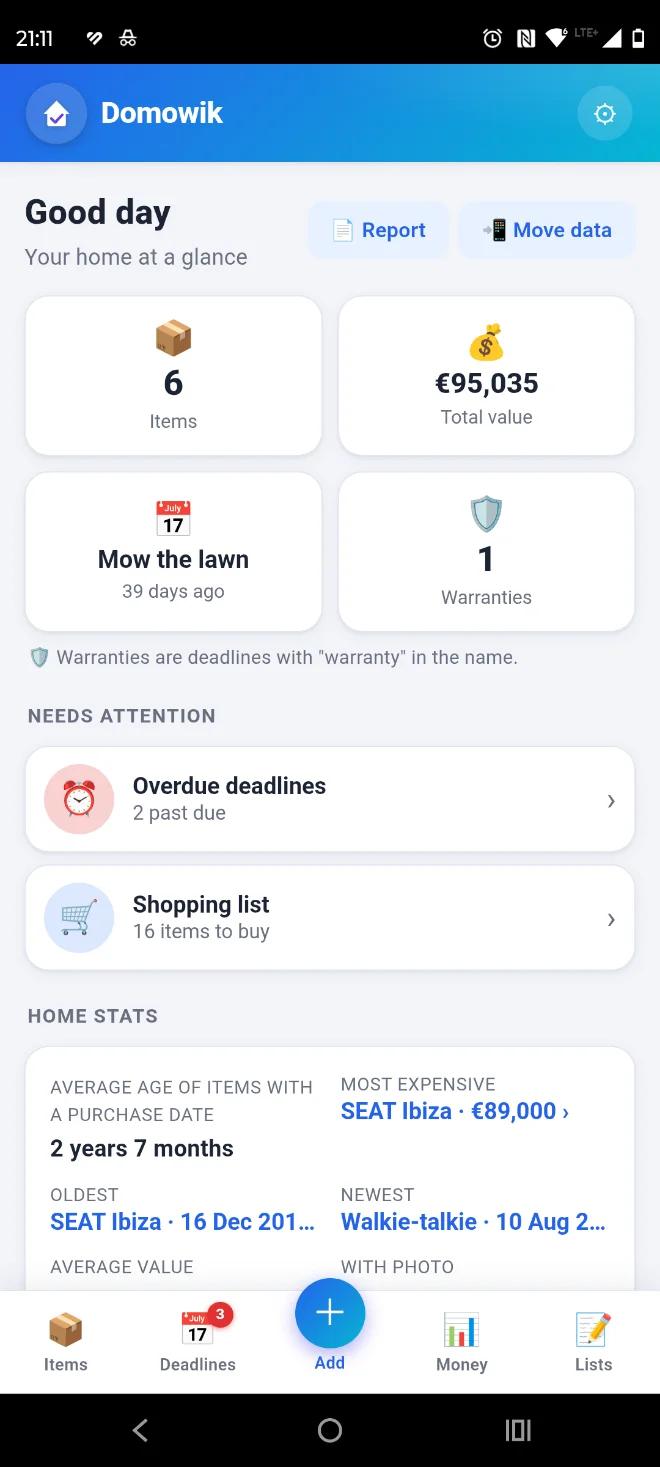
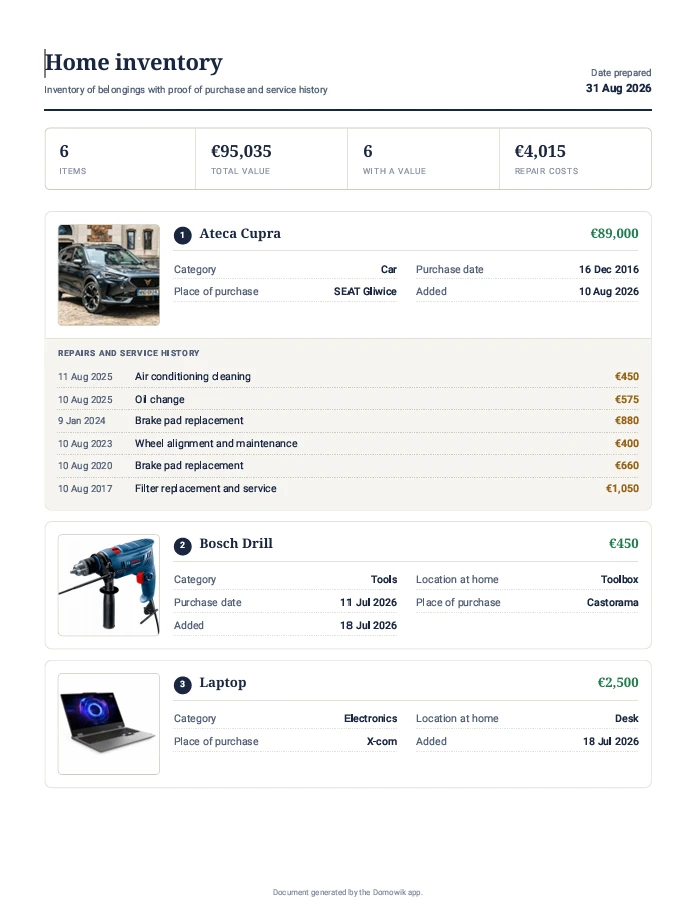
PDF report for your insurer
One tap builds an inventory document: items with value, photos, receipts and repair history — ready in case of a claim.
See what the report looks likeOffline app, no account
Your whole home. One place.
Items, deadlines, finances and everyday lists — organized in one app, with your data under your control.
New in Domowik
One tap builds an inventory document: items with value, photos, receipts and repair history — ready in case of a claim.
See what the report looks likeNew in Domowik
Move all your data to another phone over the same WiFi — just a short code. No internet, no account, nothing leaves your phone.
Explore DomowikVideo
A short video shows how Domowik keeps your whole home in one place — items, deadlines, finances and lists. Private, offline and without an account.
Less scattered information
Deadlines in a calendar, shopping on paper, expenses in a spreadsheet and a receipt photo lost in the gallery. Domowik brings this information together around everyday home life.
Save items, photos, locations, values and purchase details.
Link deadlines to items and view them in a list or calendar.
Data stays local, and you start backups and exports whenever you choose.
One app for many everyday needs
The home dashboard shows what needs attention. Items, deadlines, finances, lists, notes and habits stay connected in one place.
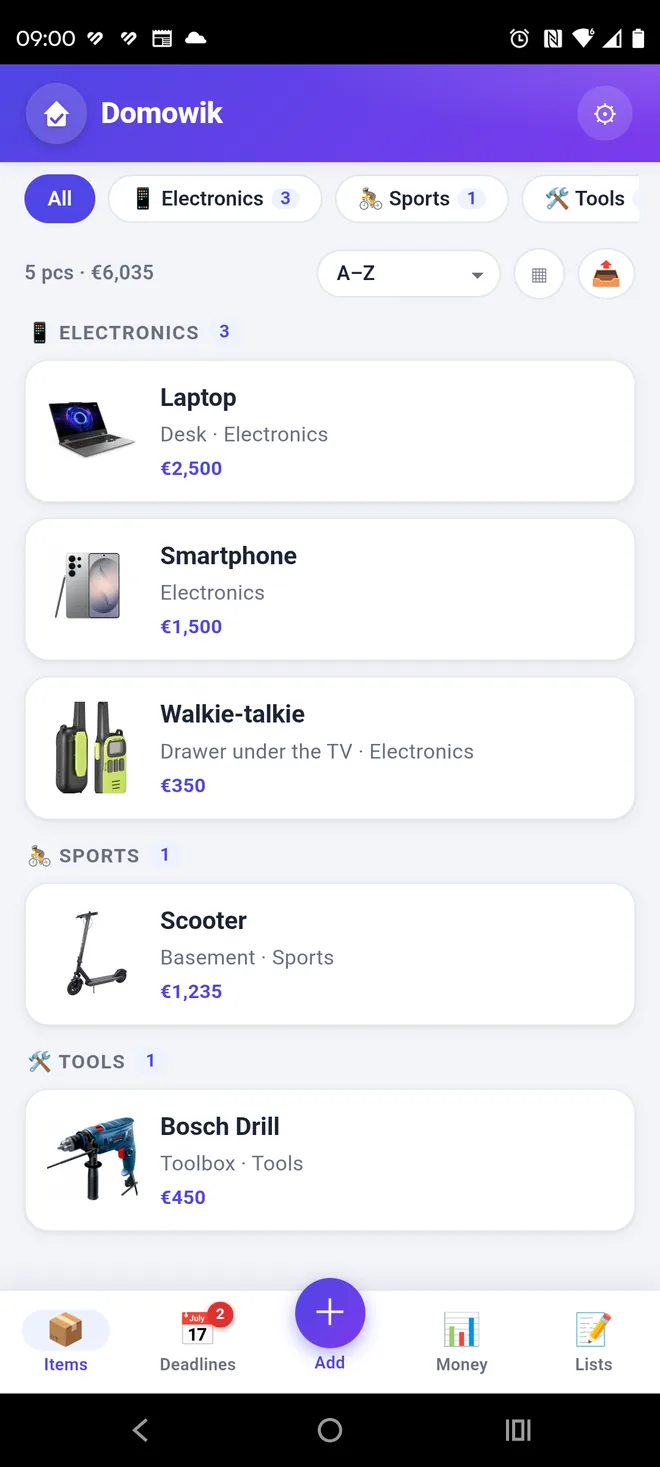
Search, filter and group items. Add photos, a separate receipt, notes, service history and purchase details.
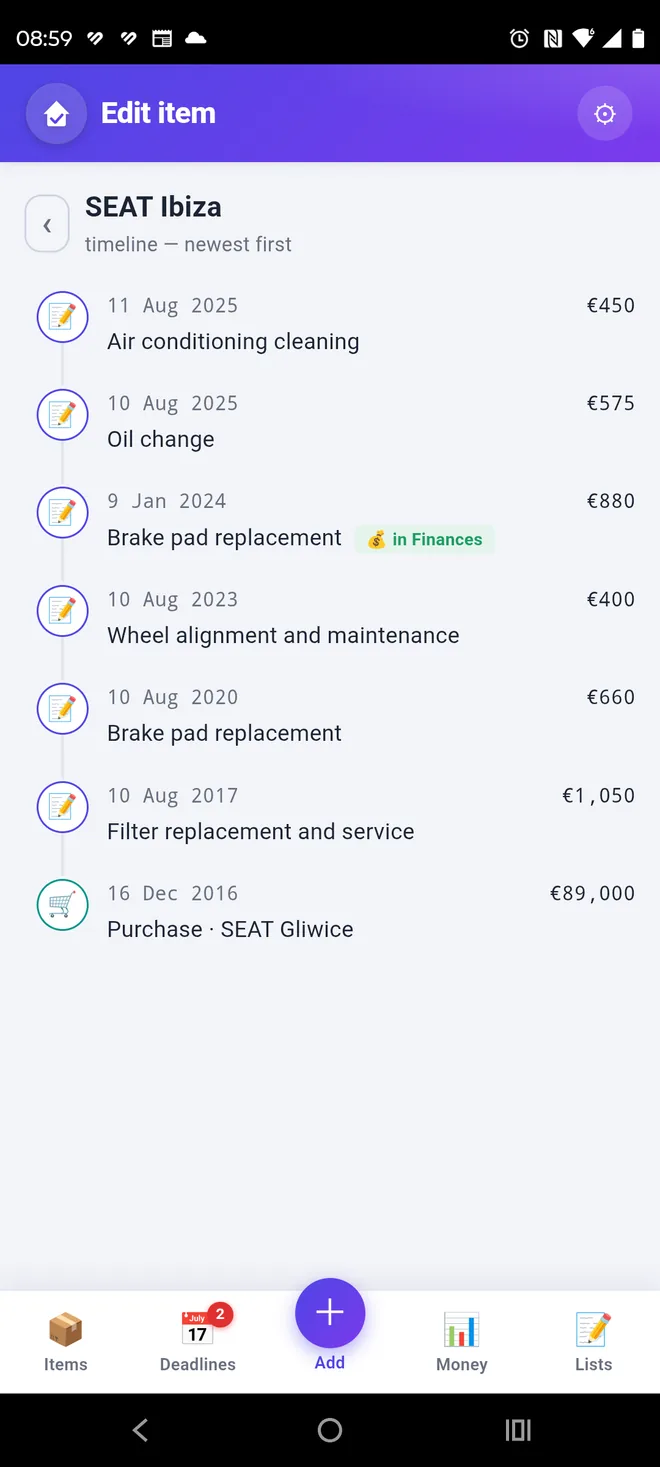
For a car you can keep the whole service book: oil and brake pad changes, inspections and the cost of every repair. All on one timeline — from the purchase to the last visit to the garage.
Take a photo of a receipt and Domowik reads the store, date and amount, and recognises the products. In one step add items to your catalog, an expense to Finances, or both — no retyping.
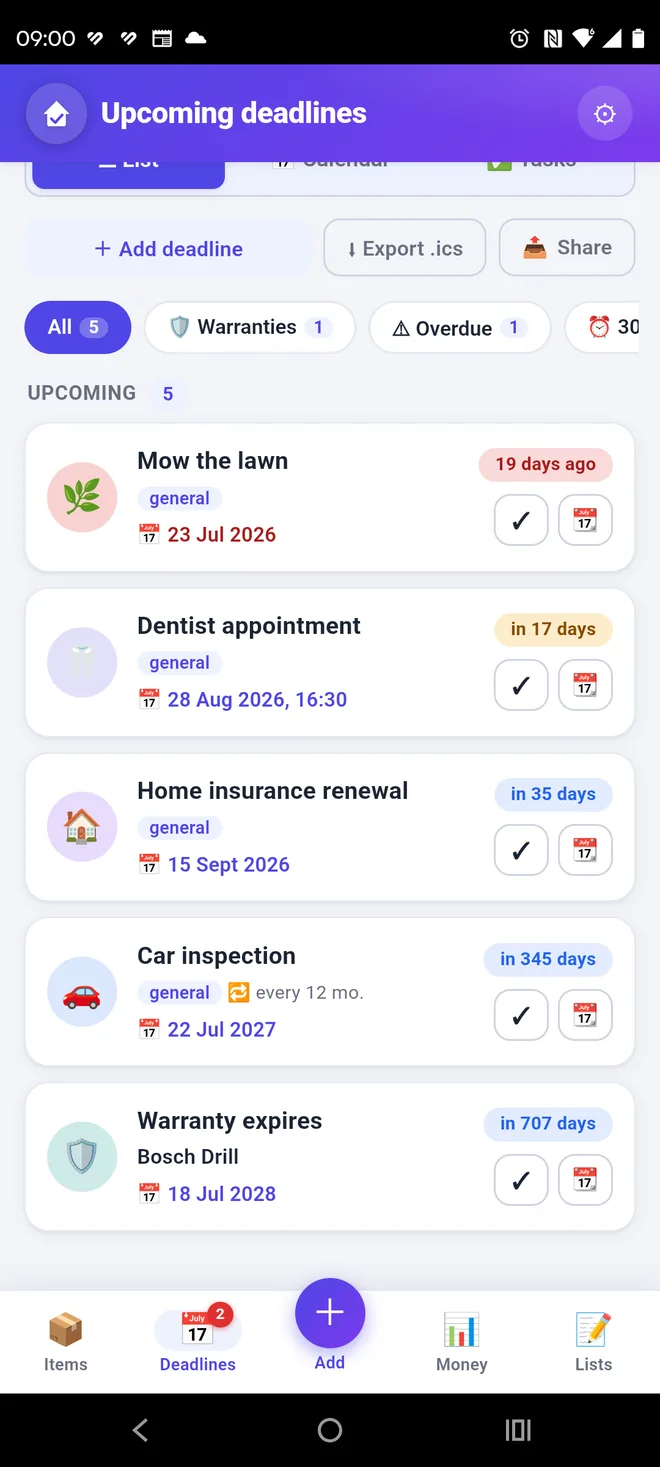
Warranties, inspections, bills and tasks in one place — with a calendar, reminders and date ranges. A separate warranty overview shows how many you have, which expires soonest and how much value they protect.
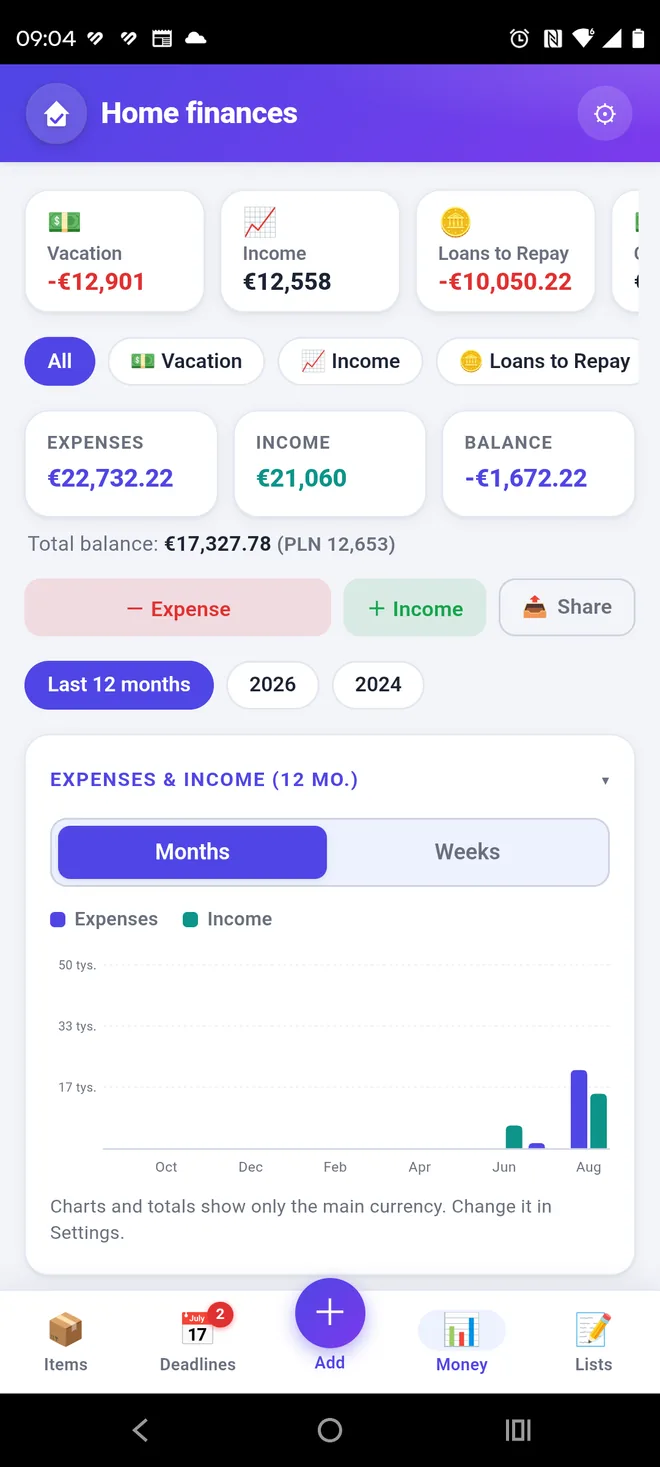
Accounts, balance, charts and filters show your household budget. Add an item purchase or service cost without retyping data. Set a monthly budget per category (e.g. fuel) — the app shows how much you’ve spent and what’s left, warning you when you go over.
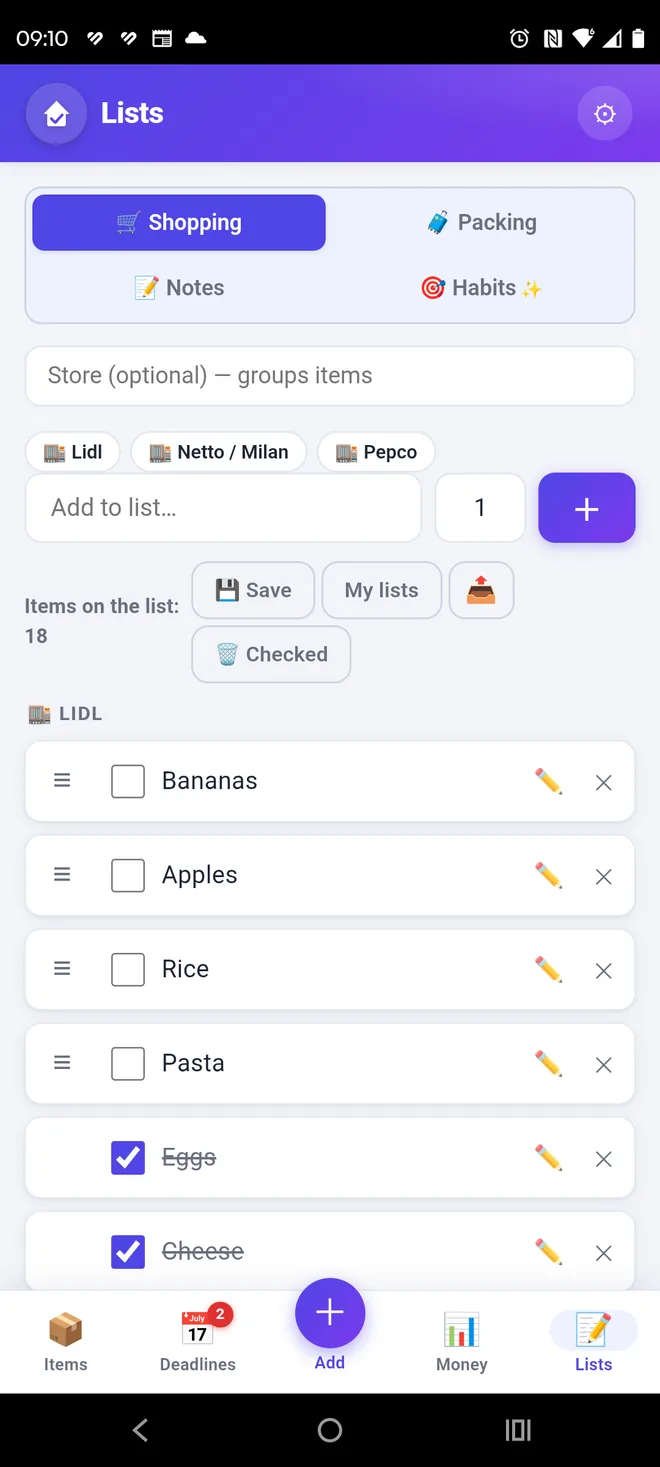
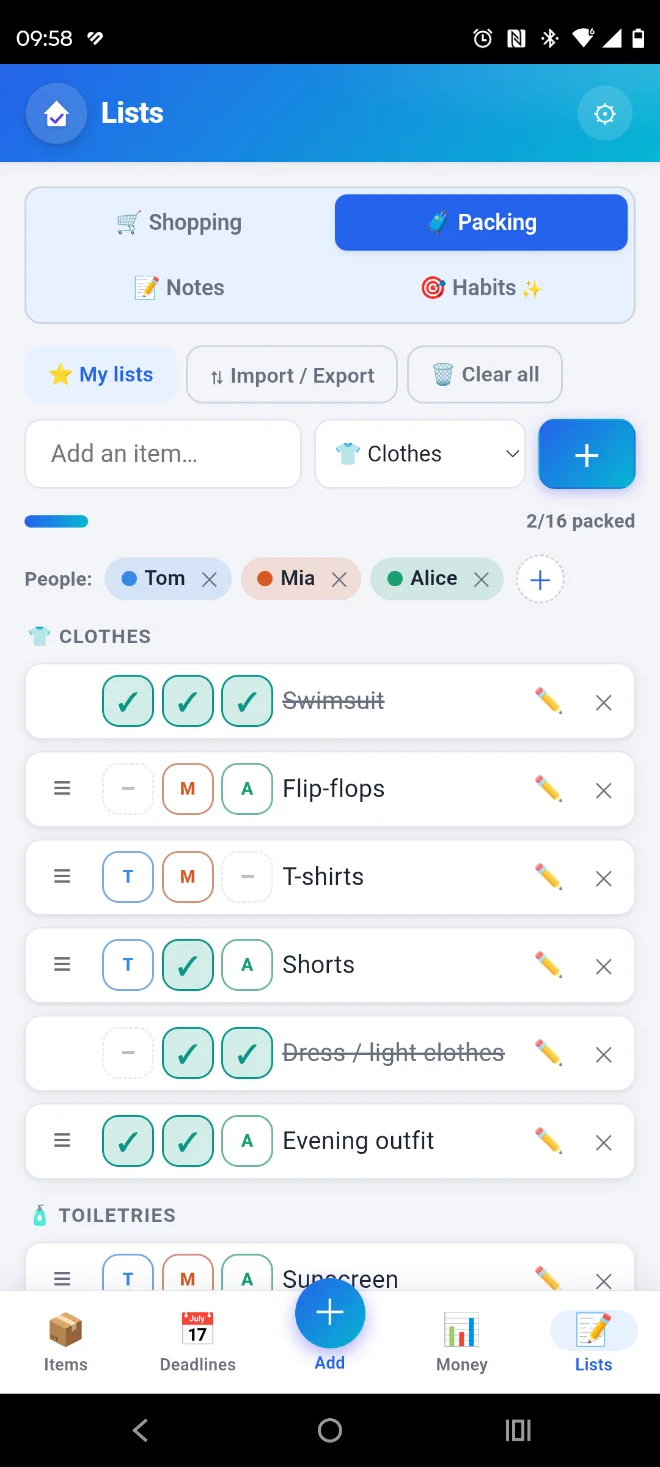
Shopping by store, packing for multiple people, plus colorful notes, checklists and freehand drawings.
Light, dark or automatic mode, plus six color themes.
Create password-protected backups, merge data without duplicates and share selected modules without an account or cloud.
A ready document for your insurer or in case of loss: items with value, purchase dates and place, serial numbers, photos and receipts as proof, plus repair history.
Send everything to another phone directly over the same WiFi — just a short code — or as a file. No internet, no account.
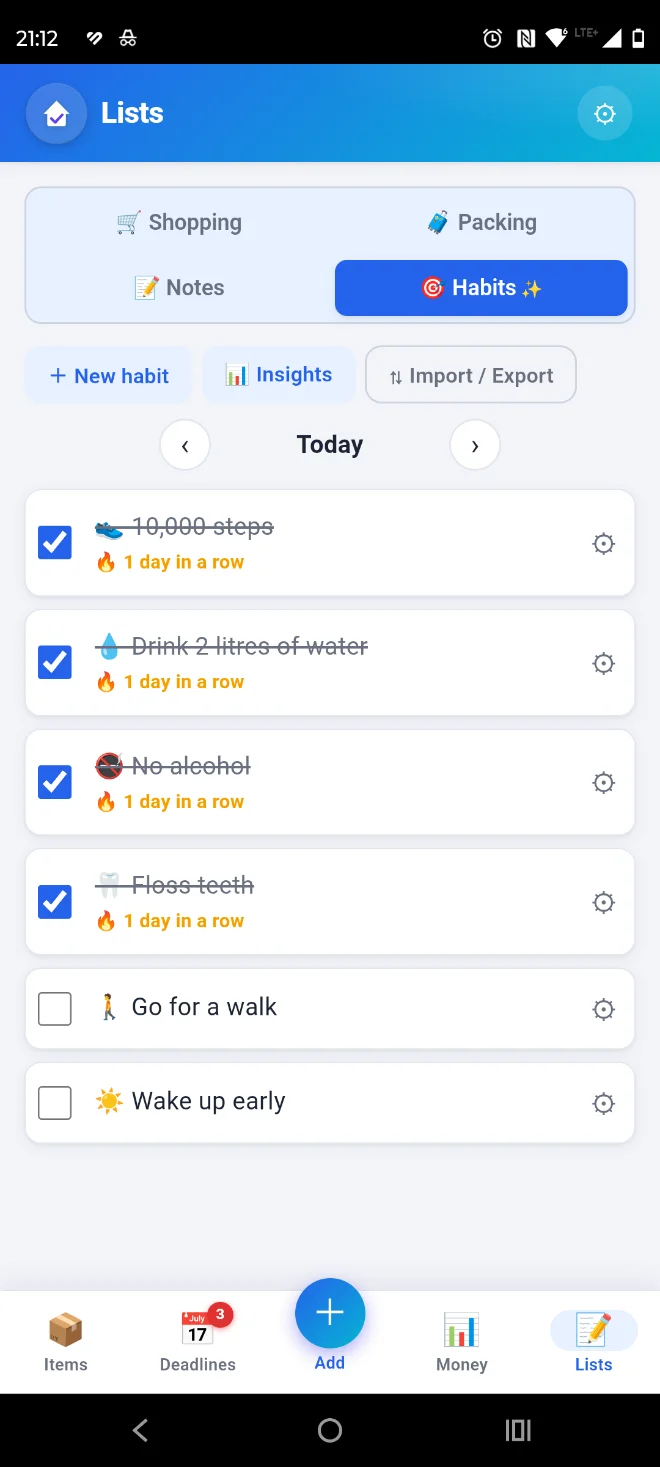
Check off daily habits, build day streaks and track statistics. Add an amount to a habit and the app counts how much you save (e.g. skipping coffee out).
One query finds an item, a deadline, a transaction, a note or a task — results from the whole app at once, grouped. Tap to open it.
See Domowik in action
Swipe through the gallery to see the app’s key areas.
Private by design
Domowik has no server to send your data to. There is no account to create, no ads and no analytics. Your inventory, amounts and photos stay in the phone’s memory — including when you switch the internet off.
We collect no data, so we cannot lose it — there is no way a leak or breach could happen, because your data simply isn’t with us. That is not a promise, but a consequence of how the app is built.
Items, deadlines, finances and lists are stored on the device.
You create a full backup yourself whenever you need it.
Save data as JSON, CSV or ICS and move it deliberately.
You can protect access with a PIN code or your fingerprint.
The backup file can optionally be encrypted with a password before you pass it on.
Send selected data with any app — the recipient merges it into their own.
The app carries no advertising and no tracking tools. We do not profile you, because we have no way to.
The catalog, deadlines, finances and lists all work with no connection at all.
The code is kept as an irreversible hash, and biometrics are verified by Android itself.
Important: data does not sync automatically. Create a backup before changing phones or uninstalling the app.
PDF inventory report
Instead of loose photos and notes — one clear document you send to your insurer or show when selling or moving.
FAQ
Short answers without hiding important limitations.
Another question? Contact us →No. Domowik does not require an account. App data is stored locally on the device.
Core features work without internet. A connection may be needed, for example, when buying Premium on Google Play or sending a deadline to Google Calendar.
The easiest way is over WiFi: with both phones on the same network, pick “Move to another phone”, enter a short code and the data goes across directly — no internet, account or cloud. You can also create a full JSON backup in Settings and import it on the new device. Data does not sync automatically in the background.
Name, location, category, note, quantity, value, purchase date and place, photos and linked deadlines.
Premium removes the item limit and expands photos, finances, saved lists, templates and the habits module.
The interface is available in Polish, English, German, French, Spanish, Ukrainian and Czech.
No. The app has no server to send anything to, and contains no ads or analytics tools. Everything you enter — items, amounts, photos, deadlines — is saved in the phone’s memory and never leaves it unless you export a backup yourself. The details are in the privacy policy.
Yes. Entry can be locked with a PIN code or a fingerprint. The backup file can also be encrypted with a password before you pass it on.
Yes. Add the car as an item and append entries to it: date, description and cost. That builds a timeline — from the purchase through oil and brake pad changes to the last inspection. The same approach works for a bike, a washing machine or a boiler.
Yes. Each deadline can carry a reminder set in advance — on the day itself or 1, 3, 7 or 14 days earlier. Notifications work locally, and tapping one opens that deadline.
Your home. One app.
Items, deadlines, finances and lists — local, clear and always at hand.
FreeNo accountWorks offlineNo ads
 Scan with your phone